
SCORM Version Selector
Not sure which SCORM version to export? Answer a few questions about your course structure and target audience to get a recommendation.
You’ve probably seen the term SCORM (Sharable Content Object Reference Model) pop up when you’re trying to upload a course to your Learning Management System (LMS). It sounds technical, maybe even intimidating. But here’s the truth: SCORM isn’t some complex code you need to write from scratch. It’s simply a set of rules that helps different software talk to each other. Think of it like the USB port on your laptop. You don’t need to know how electricity flows through the cable; you just need to know that if your device has a USB plug, it will work with any computer that has a USB port. SCORM is the "USB" of online learning.
If you are building courses in tools like Articulate Storyline or Adobe Captivate, or if you are choosing an LMS for your company, understanding what SCORM actually does saves you headaches. It ensures that when a student finishes a module, their score gets recorded, their progress is saved, and they can pick up right where they left off. Without this standard, every piece of content would be a locked box that only one specific system could open. Let’s break down exactly what it means, why it matters, and when you might want to look beyond it.
The Core Definition: Breaking Down the Acronym
SCORM stands for Sharable Content Object Reference Model. It is a collection of standards and specifications created by ADL (Advanced Distributed Learning), an initiative backed by the US Department of Defense. The goal was simple: create a way for training materials to be reused across different platforms without needing to be rebuilt from the ground up every time.
Let’s unpack those three big words:
- Sharable: This means the content isn’t tied to one specific server or browser. If you build a module today, you can share it with another department next year, or sell it to a client using a completely different LMS.
- Content Object: This is the actual lesson. It could be a video, a quiz, an interactive simulation, or a PDF. In SCORM terms, these are bundled together into a single package.
- Reference Model: This is the rulebook. It defines how the content talks to the LMS. It dictates how data is sent back and forth-like "user started," "user scored 80%," or "user completed."
The most common version you’ll encounter is SCORM 1.2. Despite being released in 2001, it remains the industry workhorse because almost every LMS supports it. There is also SCORM 2004, which added more complex sequencing options, but many creators still stick to 1.2 for simplicity and broader compatibility.
How SCORM Actually Works Behind the Scenes
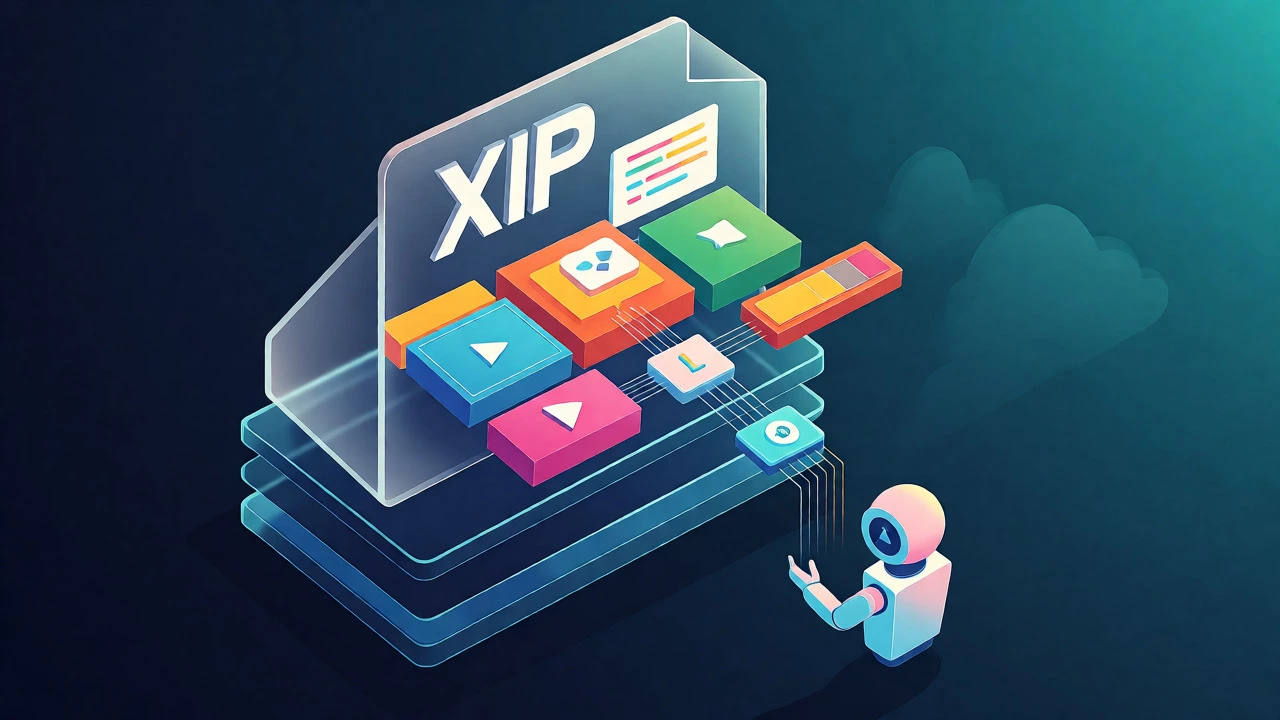
You don’t need to be a programmer to grasp the mechanics, but knowing the flow helps when things go wrong. When you export a course from an authoring tool, it creates a ZIP file. Inside that ZIP file, there is a manifest file called imsmanifest.xml. This file acts as the table of contents. It tells the LMS what files are inside, what order they should appear in, and how long the course takes.
Once you upload this ZIP to your LMS, the system reads the manifest and launches the content in a new window or iframe. From that moment on, the two systems communicate via JavaScript API calls. Here is a typical conversation between them:
- LMS: "Hey, did the user start the lesson?"
- SCORM Package: "Yes, I’m sending a 'CMITerminated' status now."
- LMS: "Okay, what was their final score?"
- SCORM Package: "They got 9 out of 10."
- LMS: "Got it. Saving to the database."
This communication happens automatically. Your job is just to make sure the package is valid and the LMS supports the version you used. If the LMS doesn’t support SCORM, it won’t know how to read the imsmanifest.xml, and the course might not launch at all.
Why Do You Need SCORM? The Real Benefits
It’s easy to think, "My LMS vendor said it works, so why care?" But relying solely on proprietary formats locks you in. Here is why sticking to SCORM gives you freedom:
Portability Across Systems
Imagine your company switches from Moodle to Cornerstone OnDemand. If your courses were built in a proprietary format unique to Moodle, you’d have to rebuild hundreds of hours of training. With SCORM, you just unzip and re-upload. The content travels with you. This protects your investment in content creation.
Consistent Tracking Data
HR managers and compliance officers love SCORM because it provides standardized reporting. Whether you use TalentLMS or Docebo, a "completion" flag means the same thing. This consistency is crucial for audits. If you’re in healthcare or finance, having uniform records of who took what training and when is often a legal requirement.
Cost Efficiency
Because SCORM is an open standard, there is no licensing fee to use it. You aren’t paying royalties to a private company for every course you deploy. Plus, since most authoring tools (Articulate Rise, iSpring, Camtasia) output SCORM natively, you don’t need expensive custom development to get basic tracking working.
SCORM Versions: 1.2 vs 2004
When you export your course, you’ll likely see a dropdown menu asking for the SCORM version. Choosing the wrong one can cause tracking errors. Here is a quick comparison to help you decide.
| Feature | SCORM 1.2 | SCORM 2004 |
|---|---|---|
| Complexity | Simple, linear structure | Highly complex, supports branching |
| LMS Support | Near universal support | Supported by major modern LMSs |
| Sequencing | Basic (Next/Previous) | Advanced (Conditional navigation) |
| Error Handling | Forgiving; minor errors often ignored | Strict; small errors can break tracking |
| Best For | Standard corporate training, compliance | Adaptive learning paths, simulations |
For 90% of business use cases, SCORM 1.2 is the safer bet. It’s robust and less likely to throw errors if your LMS has quirky implementations. Use SCORM 2004 only if you specifically need advanced sequencing logic, such as forcing a user to retake a quiz if they score below 70% before moving to the next module.
Common Pitfalls and How to Fix Them
Even with standards, things break. Here are the most frequent issues learners and admins face, and how to solve them.
The "White Screen" Problem
You upload the SCORM package, click launch, and get a blank white page. This usually happens because the LMS is blocking third-party cookies or scripts. Check your LMS settings to ensure "Allow Pop-ups" or "Third-Party Cookies" are enabled for the domain hosting the content. Also, verify that your internet connection allows HTTPS traffic, as mixed content (HTTP resources on an HTTPS site) can block loading.
Progress Not Saving
A student closes the browser halfway through, comes back, and starts over. This is often a "Commit" issue. SCORM relies on the LMS calling a function to save data to the database. Some older browsers or strict privacy modes interfere with this. To fix it, ensure your LMS is configured to "Auto-Save" frequently, or instruct users to use the "Exit" button within the course rather than closing the tab directly.
Score Not Recording
The user finished the course, but the grade shows as "Incomplete" or "0%." This is usually due to incorrect mastery score settings. In your authoring tool, you must define what constitutes a pass (e.g., 80%). If the LMS expects a different scale (some use 0-100, others 0-1), the math fails. Always test with a dummy account first. Create a course with one question, answer it correctly, and check if the LMS registers a 100% score.

Is SCORM Dead? The Rise of xAPI
You might hear people saying "SCORM is dead" or talking about xAPI (Experience API), also known as Tin Can API. Is SCORM obsolete? Not really. It’s just evolving alongside newer tech.
xAPI is more flexible. While SCORM asks "Did they finish the course?", xAPI asks "Did they watch the video? Did they pause? Did they print the handout? Did they do this while on mobile?" xAPI uses statements like "I [verb] object [context]." Example: "Sarah [completed] Module 1 [in context of Mobile App]."
However, xAPI requires a Learning Record Store (LRS) to handle the massive amount of data points. Most companies don’t need that level of granularity. They just need to know if employees passed compliance training. For that, SCORM is faster, cheaper, and easier to implement. Many modern platforms support both. You can use SCORM for the core course structure and layer xAPI on top for detailed analytics if needed.
Checklist: Before You Upload Your First SCORM Package
Don’t let a bad upload ruin your launch day. Run through this list before publishing to production:
- Validate the Package: Use a free online validator like SCORM Cloud’s tester. It checks if your
imsmanifest.xmlis formatted correctly. - Test in Multiple Browsers: Chrome, Firefox, Safari, and Edge handle JavaScript differently. Test at least two.
- Check File Size: Large videos can slow down loading. Keep individual SCORM packages under 50MB if possible for better performance on slower connections.
- Verify Exit Behavior: Ensure the course sends a "Terminate" signal when closed. Otherwise, the LMS might think the user is still active forever.
- Confirm Accessibility: SCORM itself doesn’t enforce accessibility, but your content should. Add alt-text to images and ensure keyboard navigation works within the player.
Frequently Asked Questions
Can I convert a PDF into a SCORM package?
Not directly. A PDF is a static document, while SCORM requires interactivity and tracking capabilities. However, you can wrap a PDF in an HTML wrapper using tools like iSpring Converter or Articulate Presenter. These tools add a navigation shell around the PDF that communicates with the LMS, allowing it to track whether the user opened the file and how long they spent viewing it.
Do all LMS platforms support SCORM?
Most do, but not all. Major platforms like Moodle, Canvas, Blackboard, Cornerstone, and TalentLMS fully support SCORM 1.2 and often SCORM 2004. However, some niche or highly customized internal systems might only support proprietary formats or require custom integration. Always check your LMS documentation or ask their support team for a list of supported standards before investing in content creation.
What is the difference between SCORM and AICC?
AICC (Aviation Industry CBT Committee) is an older standard, predating SCORM. It was designed primarily for aviation training and uses text-based files (.au3) rather than XML. SCORM is more widely adopted because it uses web-friendly technologies (XML, JavaScript) and is easier for non-programmers to implement. Today, AICC is mostly found in legacy military or aerospace systems, while SCORM dominates general corporate e-learning.
Can SCORM track time spent on a page?
Yes, but with limitations. SCORM 1.2 tracks total session time and total time spent on the entire SCO (Sharable Content Object). It does not natively track how long a user stayed on a specific slide unless you use custom JavaScript coding within the course to send that data. Newer standards like xAPI handle granular time-tracking much more easily.
Is SCORM secure?
SCORM itself is a protocol, not a security model. Security depends on your LMS and server configuration. Standard SCORM packages are essentially HTML/JS/CSS files, so they are vulnerable to the same risks as any website (XSS attacks, etc.). Modern LMSs serve these files over HTTPS to encrypt data in transit. If you have sensitive content, consider DRM (Digital Rights Management) solutions, though these can sometimes conflict with SCORM playback.
